

Superpowers for your browser
Extino makes Chrome extensions for sellers and creators: a WhatsApp CRM, bulk AI image generation and focus tools.
What Extino makes
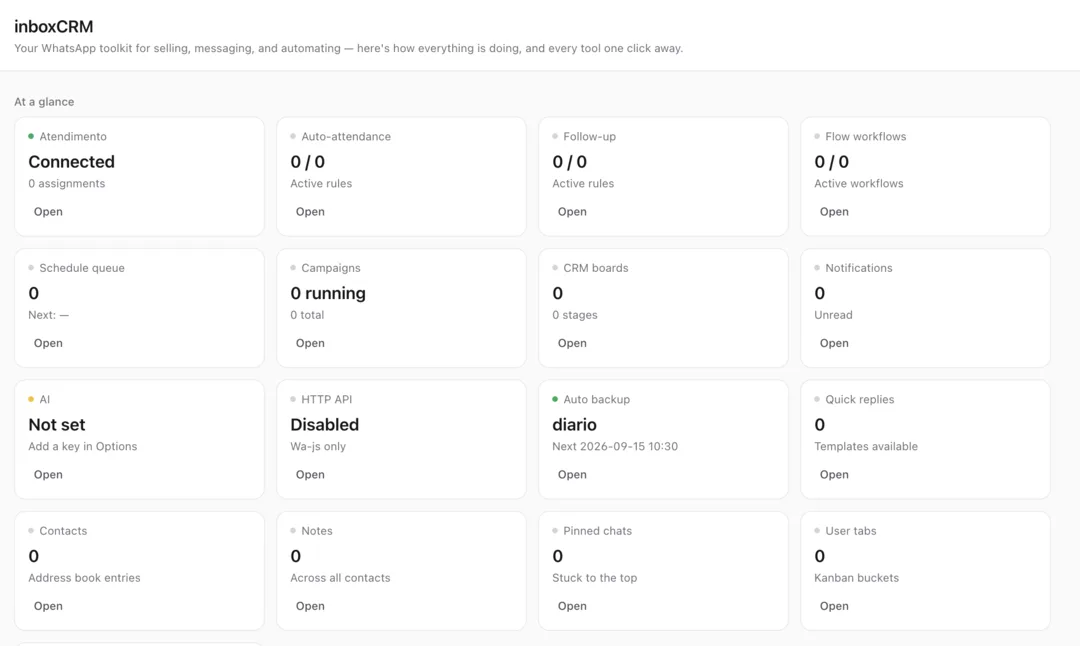
- WhatsApp CRMInboxCRM turns WhatsApp Web into a sales pipeline with notes, reminders and quick replies.Explore

- AI automationRun prompt lists on Midjourney, Ideogram, Meta AI, Google Flow and ChatGPT, with every result downloaded.Explore






- ProductivityA focus timer, notes and ad blocker in one panel, plus research tools for NotebookLM and Pinterest.Explore



Our main product
Turn WhatsApp Web into your sales CRM
Leads, notes, follow-ups and pipelines beside every chat. No Business API, and your CRM data stays on your device.
- Sales pipeline with deal values beside every chat
- Follow-up reminders, scheduled messages & quick replies
- No WhatsApp Business API — CRM data stays on your device

Chrome extensions that do the busy work
Bulk AI generation, focus and research tools. Each one runs in your own browser, on your own accounts.
MidBot
Midjourney AutomationBulk-generate and download up to 25,000+ images per run on Midjourney. Feed it a CSV of prompts and let it work overnight.
- 25,000+ images per run
- CSV-driven prompts
- Auto-download & organize
IdeoBot
Ideogram AutomationBatch AI image generation for Ideogram — up to 15,000+ designs per run without touching the generate button once.
- 15,000+ designs per run
- Batch mode for Ideogram
- Organized file output
MetaAi Automator
Meta AI AutomationUnlimited AI images and video on free Meta AI, generated and downloaded in bulk while you do something better.
- Works on free Meta AI
- Images & video
- Bulk auto-download
Whisk Automation
Google Flow AutomationAutomate Google Flow with reusable node-based workflows. Build a batch once — references, prompts, settings, delivery — save it, and re-run it whenever you want.
- Reusable node-based workflows
- Reference reuse — upload a character once
- Bulk prompts + AI Prompt Rewriter
OneBuddy
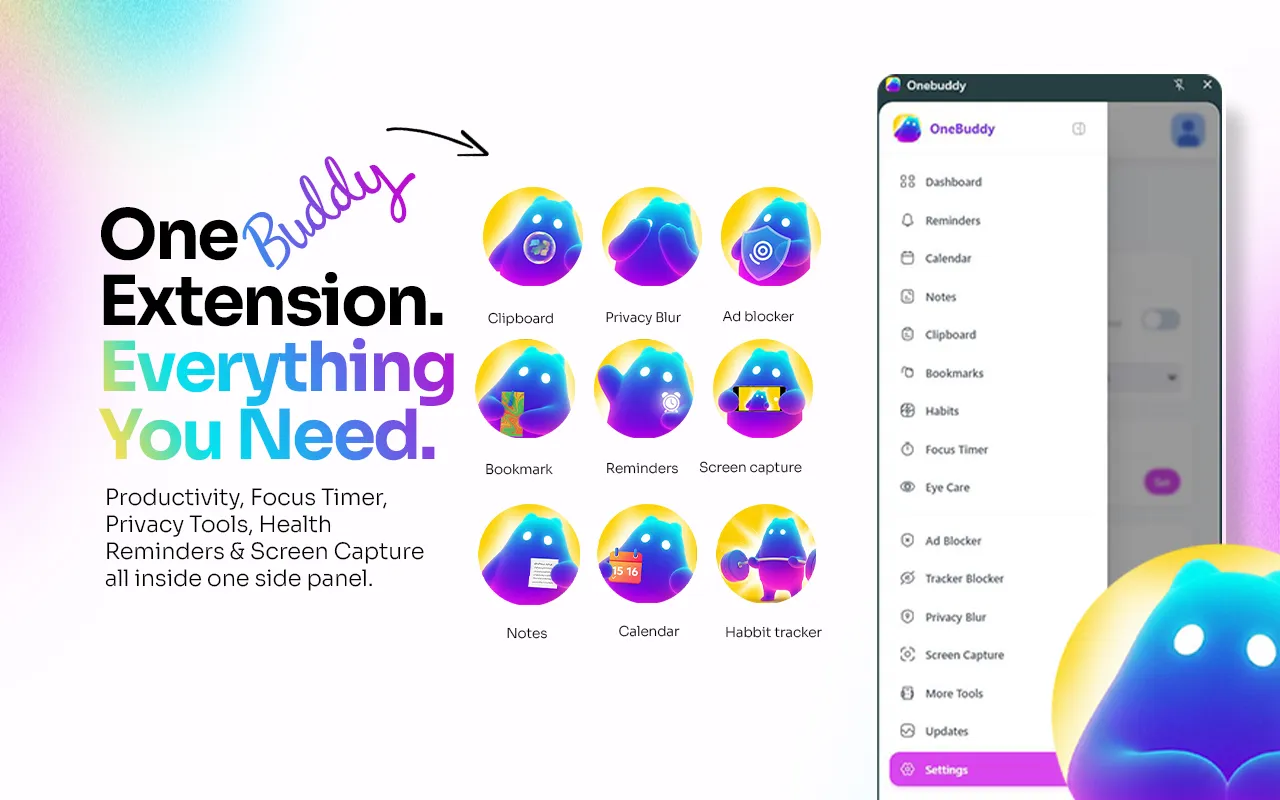
All-in-one Extension10+ productivity, privacy and wellness tools in one Chrome side panel — Pomodoro, notes, ad blocker, screen recording and more.
- Pomodoro, notes & clipboard history in one side panel
- Ad & tracker blocker with privacy blur
- Free plan forever
ChatGPT Automation
ChatGPT Batch AutomationDrop a .txt list of prompts into a side panel and walk away. It types, sends, waits and moves on — inside your own ChatGPT session, no API key.
- One-click .txt prompt upload
- Text, image and image-to-image modes
- Auto-download with prompt-based filenames
Flow Automation
Google Labs Flow AutomationQueue hundreds of prompts into Google Labs Flow. It picks the model, submits, waits for each render and files the download — unattended.
- 5 generation modes, video and image
- Veo 2 · Veo 3.1 · Imagen 4 · Nano Banana
- Date-organized auto-downloads
AnyNoteLM
NotebookLM ImporterSend YouTube videos, ChatGPT, Claude, Gemini, Grok, DeepSeek and Reddit threads into NotebookLM in one click — no copy-paste.
- One-click import from 7 platforms
- Playlists, URL lists and RSS in bulk
- Notebook management with tags
PinAuto
Pinterest Analytics & ExportSee real engagement on every pin as you scroll, then capture, organize and export it — Pinterest as a research engine, not a mood board.
- Live engagement overlay on every pin
- Auto-scroll and auto-capture
- CSV export and bulk image download
- Chrome extensions for sellers and creators
- 10
- free browser tools, no sign-up
- 5
- images in a single MidBot run
- 25,000+
- API keys needed to run any of them
- 0
Prompts in, thousands of assets out
How every Extino AI automation tool works, from the first prompt to the finished folder.
- 1
Load your prompts
Add a prompt file with hundreds or thousands of lines. No API keys, no code: just your own browser and accounts.
- 2
Press start
The extension queues every prompt into Midjourney, Ideogram, Meta AI or Google Flow and keeps the batch running unattended.
- 3
Collect the results
Every image and video is downloaded and filed into folders. Small runs take minutes; big ones finish overnight.
OneBuddy
One extension, 10+ tools
OneBuddy replaces a toolbar of single-purpose extensions with one side panel.
- Pomodoro focus timer, notes, clipboard history and habit tracker
- Ad and tracker blocking that stays local, with no cloud
- Screen capture and recording, stored on your device
- Health reminders for water, movement and eye breaks
- Free plan
- £0
- Monthly
- £1.99/month
- Yearly
- £19.99/year
- Lifetime
- £29.99one-time
Questions, answered
The short version. Setup, privacy and pricing for every product are on the FAQ page.
All questions- What is InboxCRM?
- InboxCRM is our main product: a WhatsApp CRM Chrome extension that turns WhatsApp Web into a sales workspace, with pipelines, notes, tags, follow-up reminders and quick replies beside every chat. No WhatsApp Business API needed, and your CRM data stays on your device. Learn more on inboxcrm.net.
- Do I need API access or coding skills?
- No. Every Extino AI automation tool is a Chrome extension that runs in your own browser, on your own accounts. Install it, load your prompts, and press start.
- How does bulk generation actually work?
- You load a list of prompts, the extension queues them into the platform (Midjourney, Ideogram, Meta AI or Google Flow), then downloads and organizes every result automatically. Small batches finish in minutes; huge runs can go overnight.
- Does MetaAi Automator work on the free Meta AI plan?
- Yes. It bulk-generates unlimited images and video on the free Meta AI tier and auto-downloads everything for you.
- Who uses Extino tools?
- InboxCRM is used by small businesses that sell on WhatsApp. The AI tools are used mostly by print-on-demand sellers, stock photographers, Etsy digital sellers and agency designers: anyone who needs thousands of AI assets instead of dozens.