
ChatGPT Automation
From £1.99

The missing batch layer for ChatGPT
Upload a .txt file where every line is a prompt. The extension queues each one, types it into ChatGPT, waits for the response to finish, and moves to the next — while you do something else.
one-time · lifetime — or start monthly
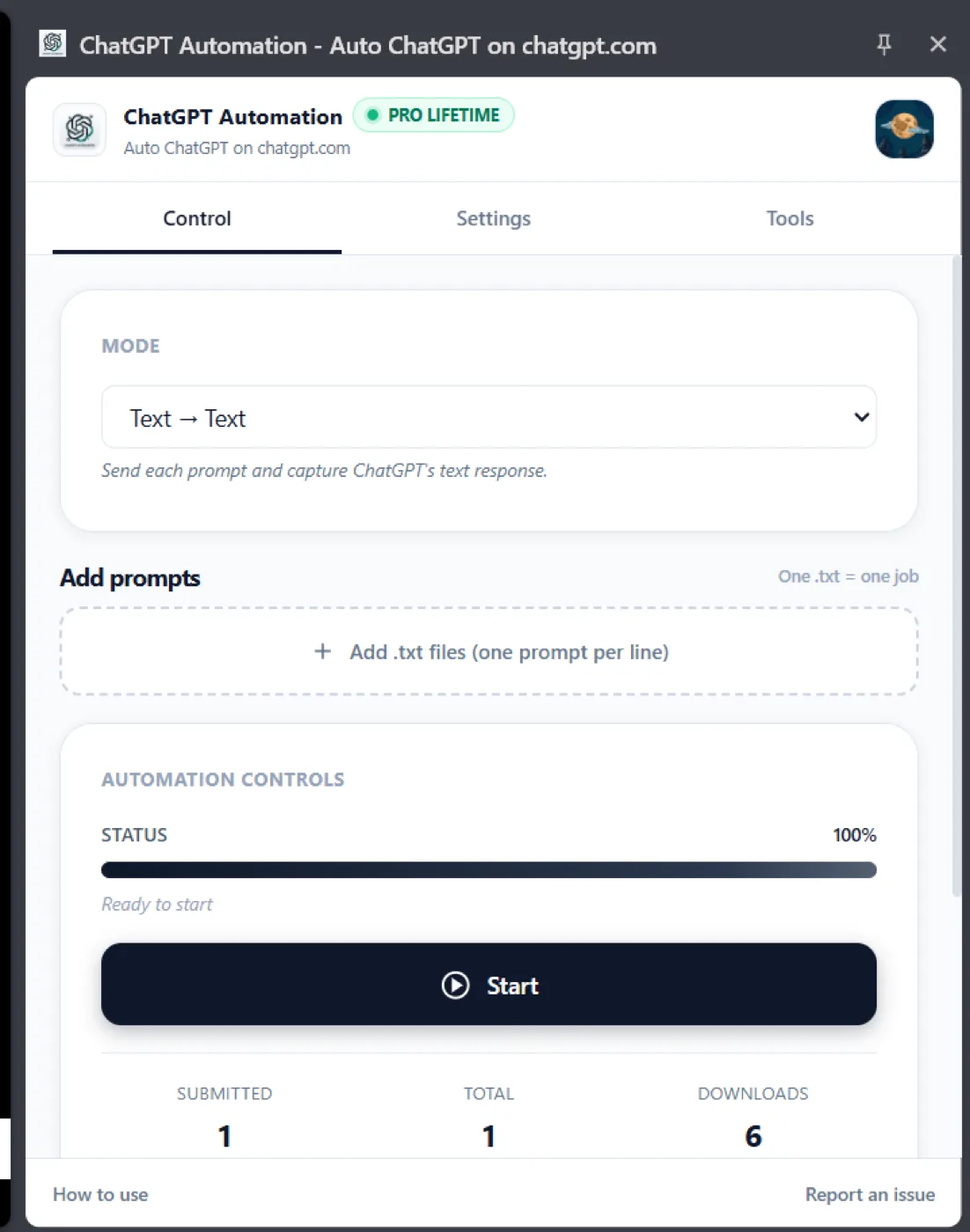
Upload a .txt prompt list, pick a mode, and press Start.
Works with
What is ChatGPT Automation?
ChatGPT Automation is a Chrome extension that turns a list of prompts into an unattended batch run on chatgpt.com. You upload a .txt file where every line is a prompt; the extension queues each one in a native Chrome side panel, types it into ChatGPT, waits for the response to finish streaming, then advances to the next — with no tab-switching and nothing to babysit. It runs three modes: Text-to-Text for written output, Text-to-Image for generation, and Image-to-Image for transforming reference images. Generated images download automatically into named folders with prompt-based filenames. Crucially it works inside your existing ChatGPT session, so there is no OpenAI API key, no per-token billing, and no loss of image generation or vision. A failed prompt is flagged and the queue continues, and selectors are hot-patched from a remote config so most ChatGPT interface changes are fixed server-side rather than breaking your run.
ChatGPT Automation key facts
- Product type
- Chrome extension
- Price
- Monthly £1.99/month · Yearly £14.99/year · Lifetime £29.99 one-time
- Page last updated
Sound familiar?
You paste prompts into ChatGPT one at a time, wait, copy the answer, paste the next — for two hours straight.
The API would fix it, but that means keys, code and a second bill on top of the ChatGPT Plus you already pay for.
You've left a long run going and come back to find it stopped on the third prompt with no idea why.
The problem was never your ideas or your effort. You're doing a machine's job by hand. ChatGPT Automation takes that job off your plate.
How is this different from doing it manually?
| The old way | With ChatGPT Automation |
|---|---|
| Paste each prompt into ChatGPT one at a time, wait, copy the answer, then paste the next — for hours | Upload a .txt list and the extension types, sends, waits and advances through the whole queue |
| Get an API key, write code and pay a second bill on top of ChatGPT Plus just to batch prompts | Runs inside your existing ChatGPT session — no API key, no second bill |
| Come back to a long run stalled on one prompt with no idea why it stopped | A failed prompt is flagged while the queue keeps going, with selectors hot-patched remotely so UI changes don't break your batch |
What do you actually get?
One-click .txt prompt upload
Text, image and image-to-image modes
Auto-download with prompt-based filenames
No API key, no second bill
It runs inside your existing ChatGPT session, so you keep image generation, vision and every new feature OpenAI ships — with no per-token cost on top.
Text and images, one queue
Three modes in one tool: Text-to-Text for written output, Text-to-Image for generation, and Image-to-Image for transforming reference images.
A failed prompt doesn't kill the run
Failures are flagged and the queue keeps going. Selectors are hot-patched from a remote config, so a ChatGPT UI change gets fixed server-side instead of breaking your batch.
Built for Content marketers, SEO teams, e-commerce sellers and agencies producing copy and images at volume.
Up and running in three steps
Install the extension
Add it to Chrome in one click. No API keys, no code, no separate account.
Upload your prompts
Drop in a CSV with hundreds or thousands of prompts and press start.
Collect organized files
Every result is auto-downloaded into structured folders while the batch runs unattended.
Take a closer look
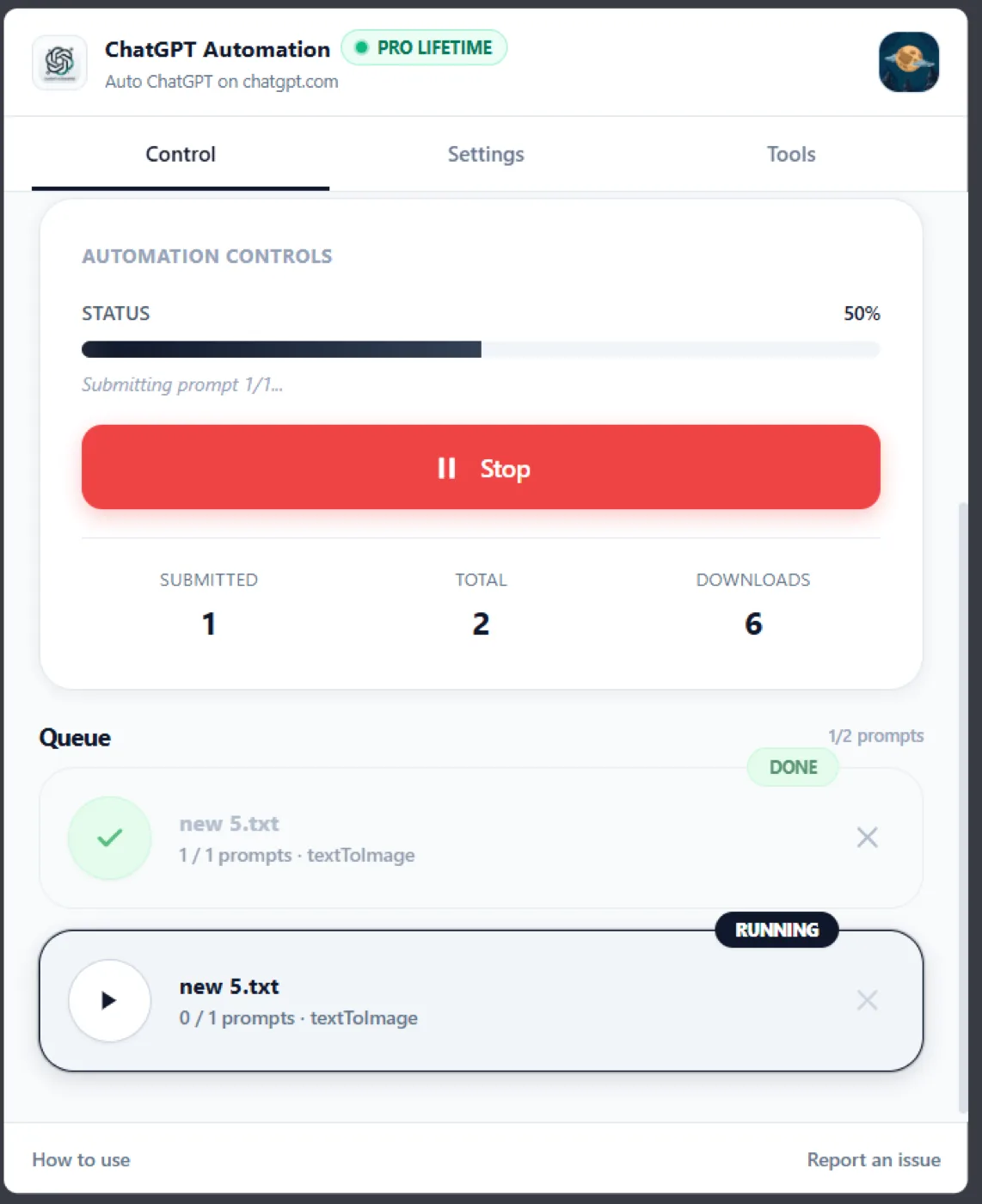
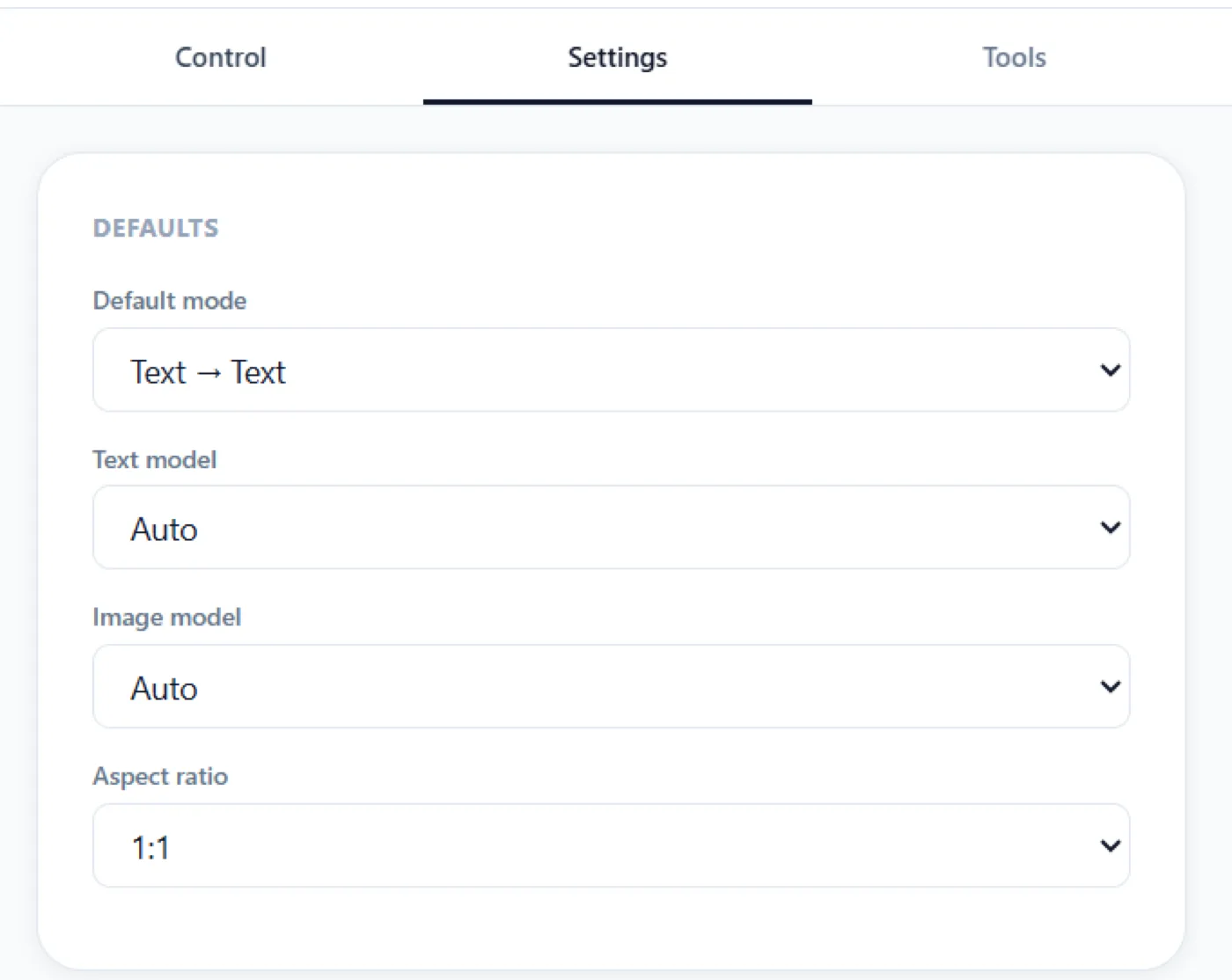
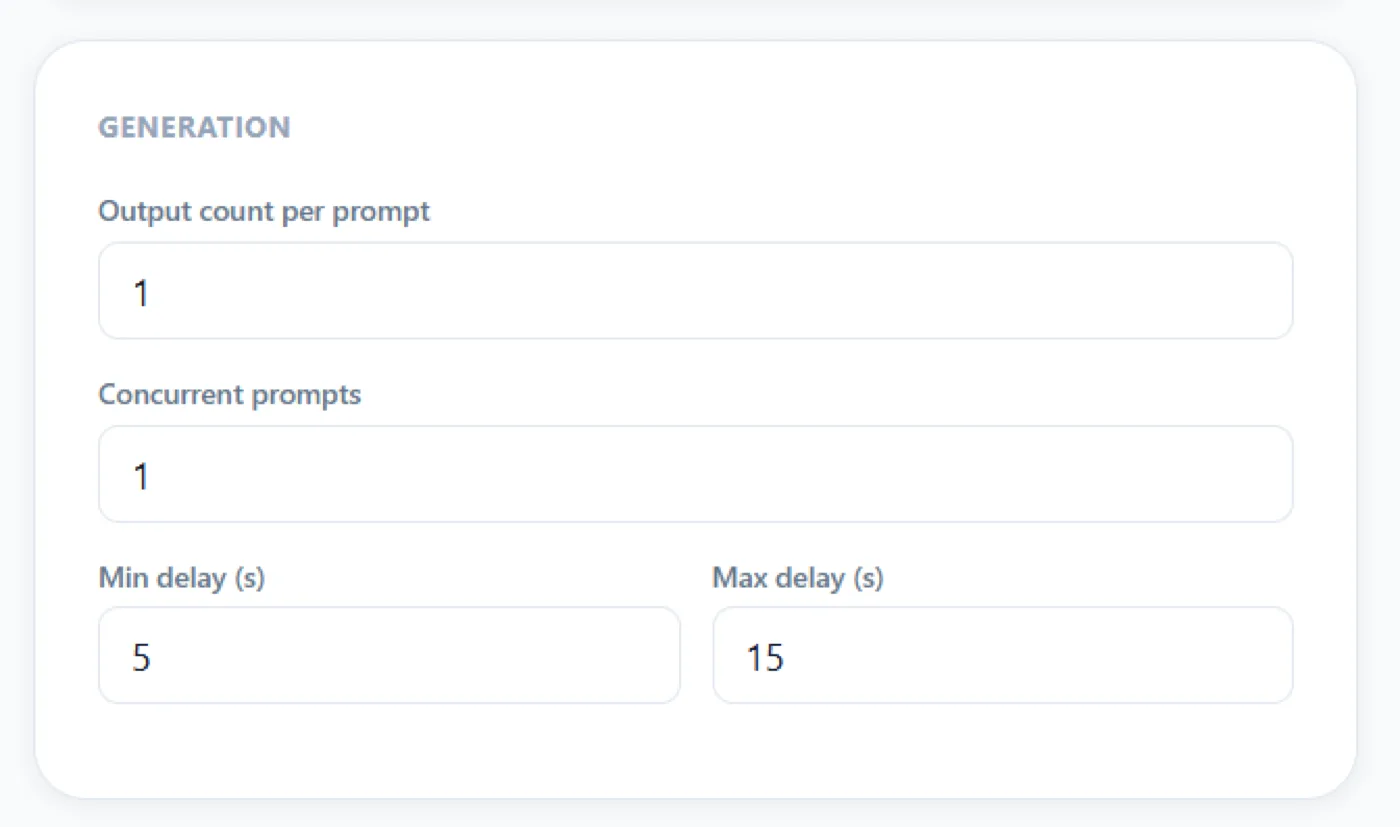
Which ChatGPT Automation plan is right for you?
Monthly
- ✓One-click .txt prompt upload
- ✓Text, image and image-to-image modes
- ✓Auto-download with prompt-based filenames
Yearly
- ✓One-click .txt prompt upload
- ✓Text, image and image-to-image modes
- ✓Auto-download with prompt-based filenames
- ✓Cheaper than paying monthly
Lifetime
Best value
- ✓One-click .txt prompt upload
- ✓Text, image and image-to-image modes
- ✓Auto-download with prompt-based filenames
- ✓All future updates
- ✓No recurring bill
Everything you get today
One-click .txt prompt upload
Text, image and image-to-image modes
Auto-download with prompt-based filenames
or £1.99/month
£29.99
one-time · lifetime — or start monthly
Cancel a subscription any time from the extension
Try it before you commit
Install ChatGPT Automation, run it against your real workload, and judge it on the output. Cancel a subscription any time from the extension
❌ No forms ❌ No awkward calls
Questions, answered
One quiet click, and the clicking is over.
Get ChatGPT AutomationCancel a subscription any time from the extensionIn short: ChatGPT Automation — £29.99 once. Drop a .txt list of prompts into a side panel and walk away. It types, sends, waits and moves on — inside your own ChatGPT session, no API key. Visit ChatGPT Automation.