
OneBuddy
From £1.99

One extension. All your tools.
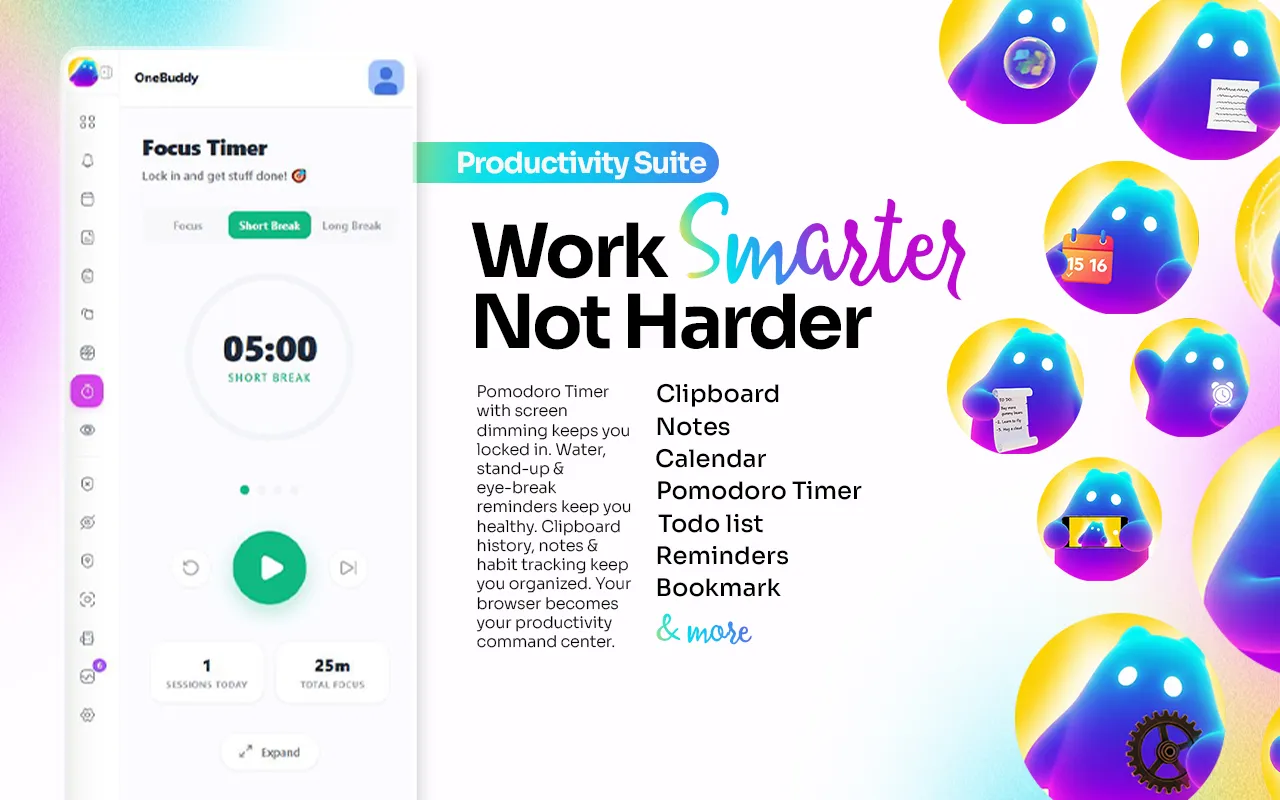
Pomodoro, notes, clipboard history, habit tracker, ad blocking, screen recording and health nudges — consolidated into a single side panel that cuts browser RAM by 30–60%.
one-time · lifetime — or start monthly
On the Chrome Web Store as OneBuddy - Pomodoro Timer, Ad Blocker & Notes
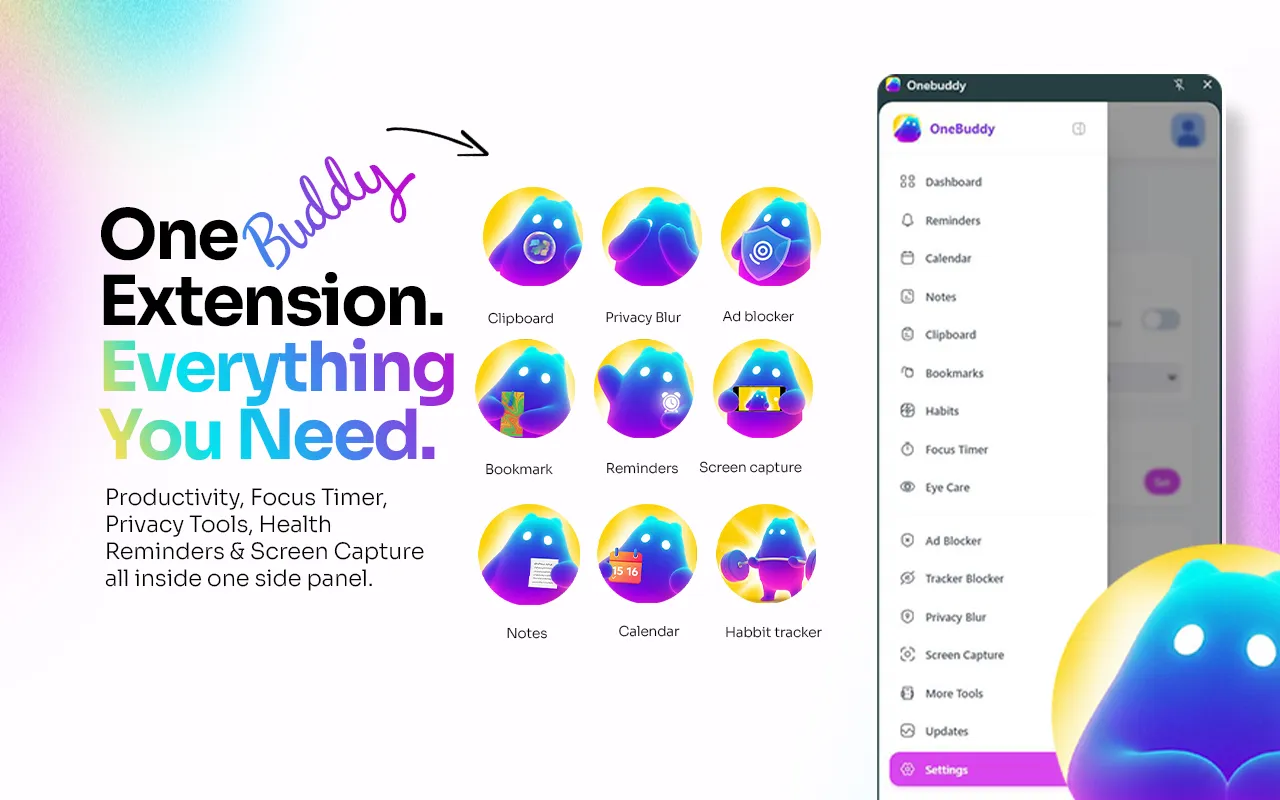
Every tool in one side panel.
Works with
What is OneBuddy?
OneBuddy is a Chrome extension that consolidates more than ten productivity, privacy and wellness tools into a single browser side panel. Instead of a toolbar holding a separate extension for a Pomodoro timer, notes, clipboard history, an ad blocker, a screen recorder and break reminders — each with its own interface, permissions and memory cost — OneBuddy provides one surface covering all of them, cutting browser RAM use by 30–60%. It includes a focus timer with session tracking, quick notes, searchable clipboard history, a habit tracker, bookmarks, an ad and tracker blocker, browser lock, tab and full-page screen capture, and health nudges for water, movement and eye strain. Recordings and screenshots stay in local storage on your own machine. It supports 40+ languages, keeps recordings and screenshots in local storage, and has a free-forever plan with PRO from £1.99/month.
OneBuddy key facts
- Product type
- Chrome extension
- Tools
- Focus/Pomodoro timer, notes, clipboard history, calendar, bookmarks, habit tracker, to-do list, reminders, ad blocker, tracker blocker, privacy blur, screen capture
- Works with
- Google Chrome, Google Calendar
- Data storage
- Local, in your browser — no cloud
- Free plan
- Free forever
- Price
- Monthly £1.99/month · Yearly £19.99/year · Lifetime £29.99 one-time
- Chrome Web Store
- OneBuddy - Pomodoro Timer, Ad Blocker & Notes
- Page last updated
Sound familiar?
Your toolbar has 12 extensions — each eating RAM, each with its own popup, account and subscription.
Focus timers, note apps, blockers, screen recorders — scattered across tools that don't talk to each other.
You've installed 'productivity' extensions that somehow made your browser slower.
The problem was never your ideas or your effort. You're doing a machine's job by hand. OneBuddy takes that job off your plate.
How is this different from doing it manually?
| The old way | With OneBuddy |
|---|---|
| Run a toolbar of 12+ separate extensions, each with its own popup, account and RAM footprint | Replace the whole toolbar with one side panel covering Pomodoro, notes, clipboard history, ad blocking, screen recording and health nudges |
| Switch between disconnected apps for focus timers, notes, blockers and screen recording | Every tool lives in the same panel instead of scattered across separate installs |
| Install more "productivity" extensions that end up slowing your browser down | Consolidating into OneBuddy is reported to cut browser RAM usage by 30–60% |
What do you actually get?
Pomodoro, notes & clipboard history in one side panel
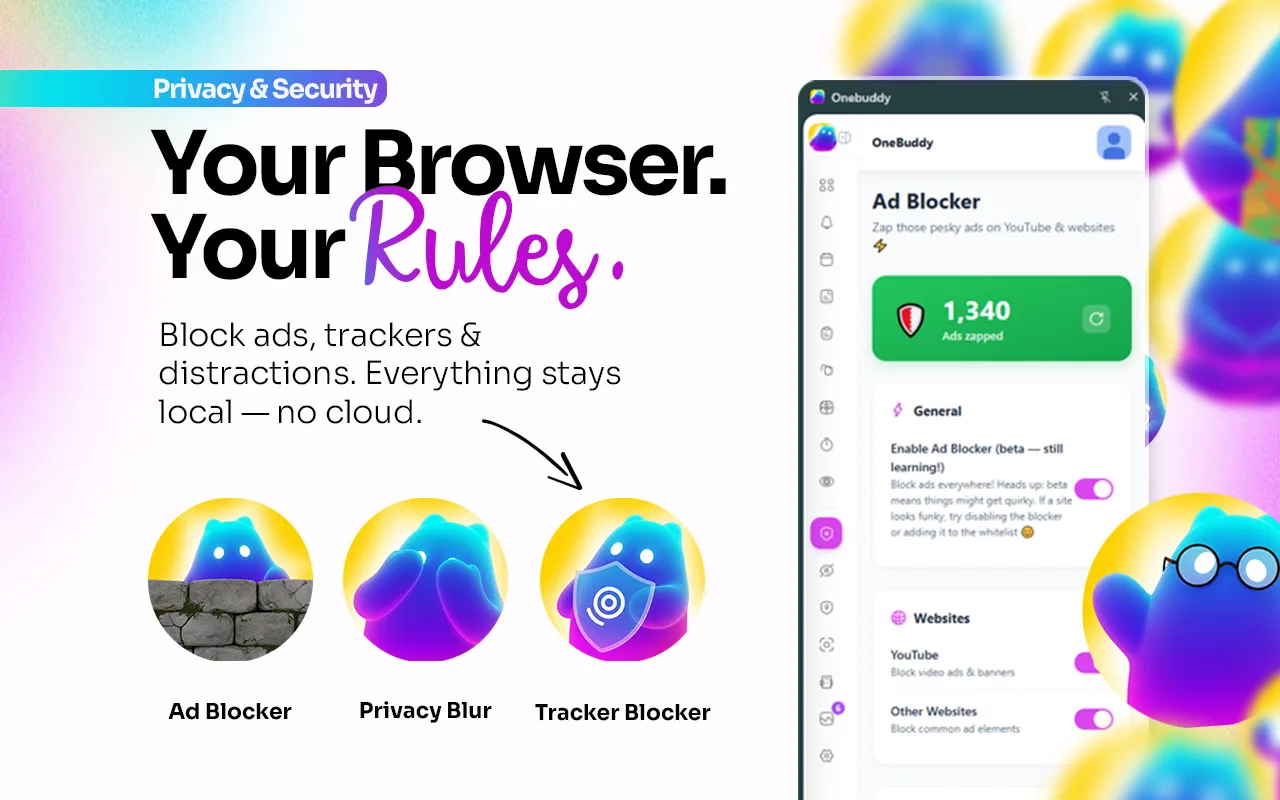
Ad & tracker blocker with privacy blur
Free plan forever
Replace your whole toolbar
OneBuddy stands in for Loom, Forest, Stretchly, uBlock Origin, Ghostery, Raindrop.io and more — ten-plus tools in one install.
A free tier that is actually useful
Notes, reminders, clipboard history, bookmarks and the dashboard are free forever — PRO adds focus, blocking and capture tools when you want them. 40+ languages supported.
Private by design
Recordings and screenshots stay in local storage, browser lock uses SHA-256, and the tracker blocker knows 200+ trackers.
Built for Remote workers, students, developers and anyone drowning in single-purpose extensions.
Up and running in three steps
Install OneBuddy
Add OneBuddy from the Chrome Web Store and pin it — it opens as a side panel beside any page.
Turn on what you need
Switch on the ad and tracker blocker, set water, stand-up and eye-care reminders, and connect your calendar.
Work from one panel
Start a focus timer, take notes, grab from clipboard history and capture your screen without opening another extension.
Take a closer look

30–60%
less browser RAM
Consolidating a toolbar of a dozen separate extensions into one side panel is reported to cut browser memory usage this much.
Which OneBuddy plan is right for you?
Monthly
- ✓Pomodoro, notes & clipboard history in one side panel
- ✓Ad & tracker blocker with privacy blur
- ✓Free plan forever
Yearly
- ✓Pomodoro, notes & clipboard history in one side panel
- ✓Ad & tracker blocker with privacy blur
- ✓Free plan forever
- ✓Cheaper than paying monthly
Lifetime
Best value
- ✓Pomodoro, notes & clipboard history in one side panel
- ✓Ad & tracker blocker with privacy blur
- ✓Free plan forever
- ✓All future updates
- ✓No recurring bill
Everything you get today
Pomodoro, notes & clipboard history in one side panel
Ad & tracker blocker with privacy blur
Free plan forever
or £1.99/month
£29.99
one-time · lifetime — or start monthly
Cancel a subscription any time from the extension
Try it before you commit
Install OneBuddy, run it against your real workload, and judge it on the output. Cancel a subscription any time from the extension
❌ No forms ❌ No awkward calls
Questions, answered
One quiet click, and the clicking is over.
Add OneBuddy to ChromeCancel a subscription any time from the extensionIn short: OneBuddy — £29.99 once. 10+ productivity, privacy and wellness tools in one Chrome side panel — Pomodoro, notes, ad blocker, screen recording and more. Get it on the Chrome Web Store.