
AnyNoteLM
From £1.99

Everything you read, inside NotebookLM
A Send to NotebookLM button appears where you already are. Pick the notebook, and the content is extracted, formatted and imported — no selecting, copying, pasting or reformatting.
one-time · lifetime — or start monthly
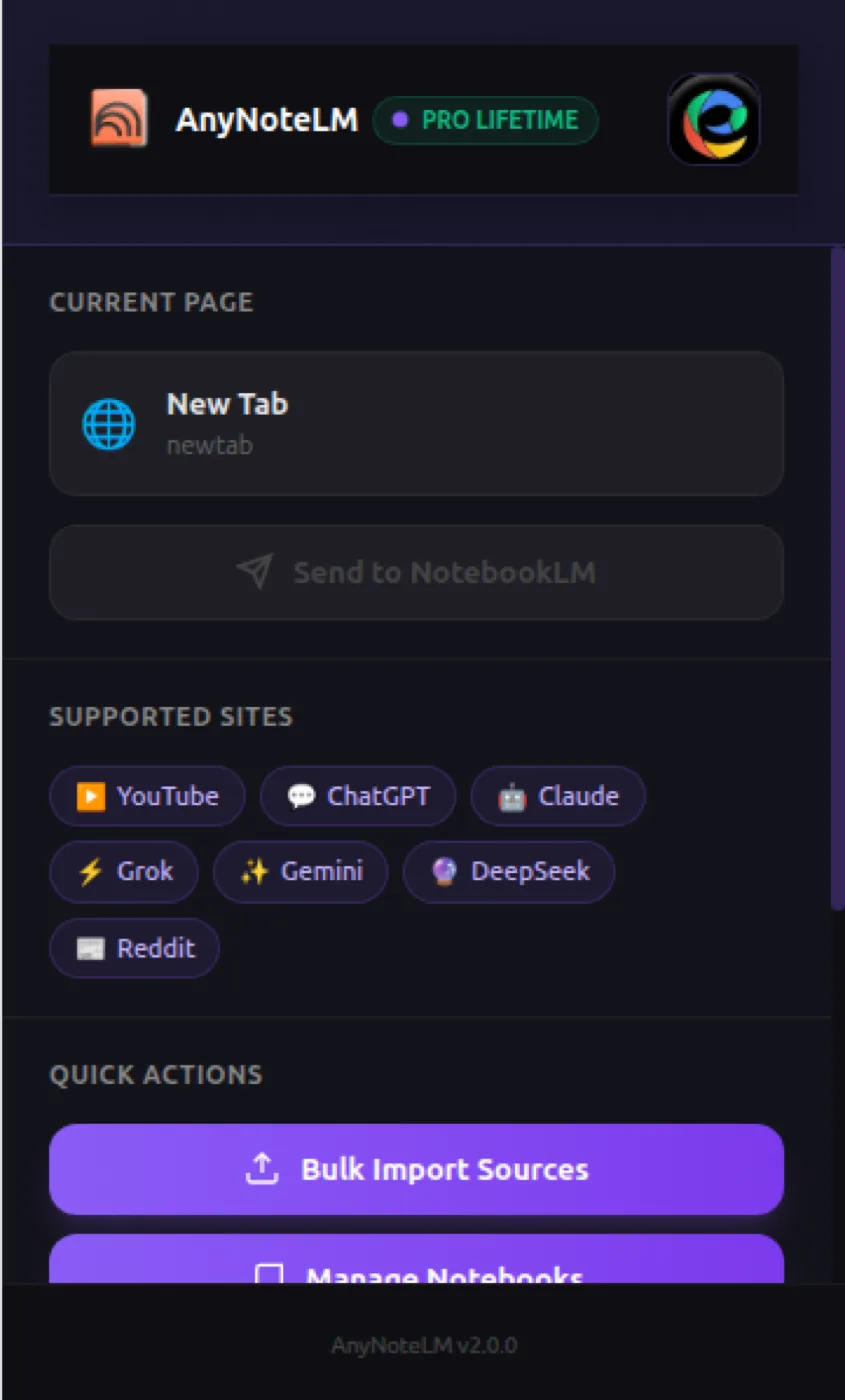
Send the page you're on, or content from any supported platform, straight to NotebookLM.
Works with
What is AnyNoteLM?
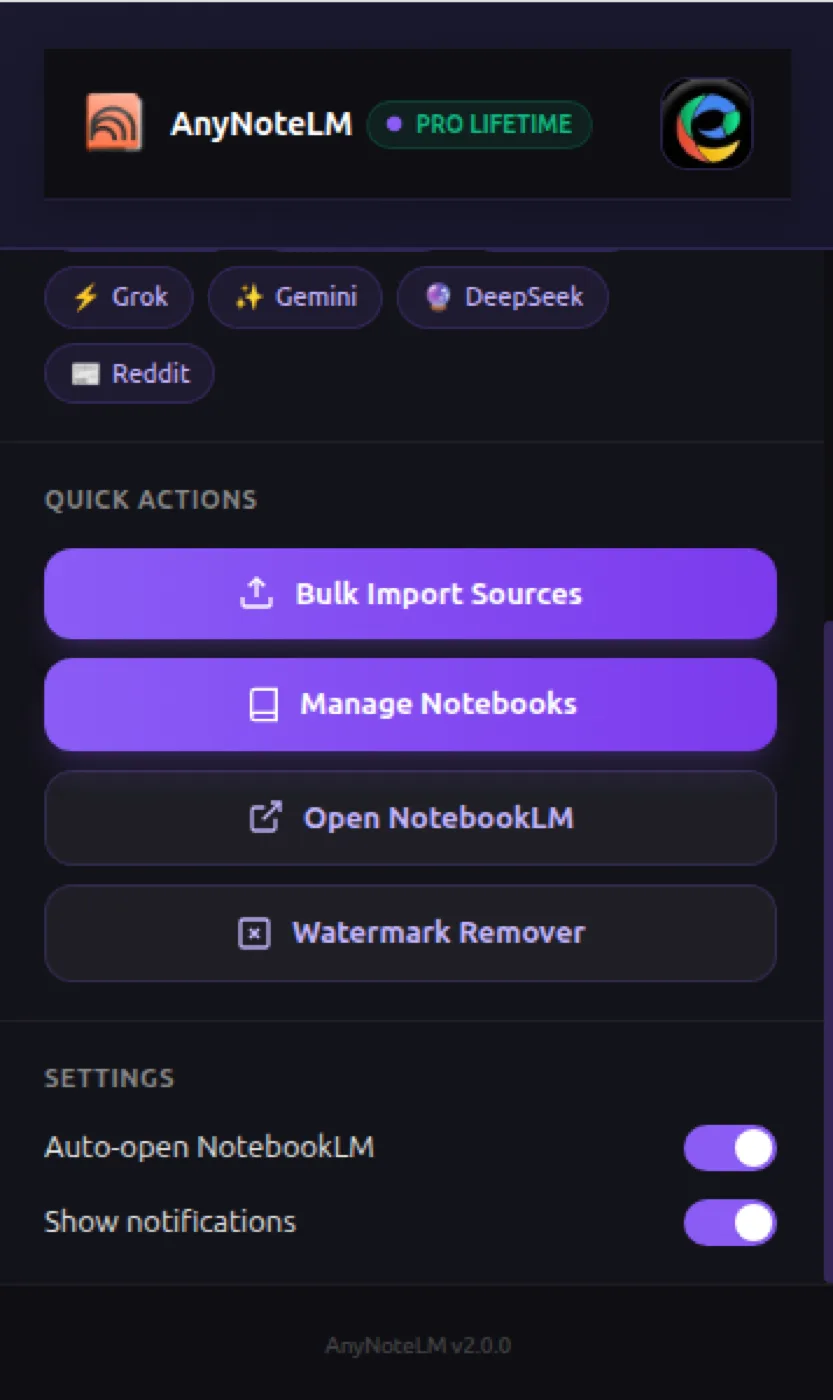
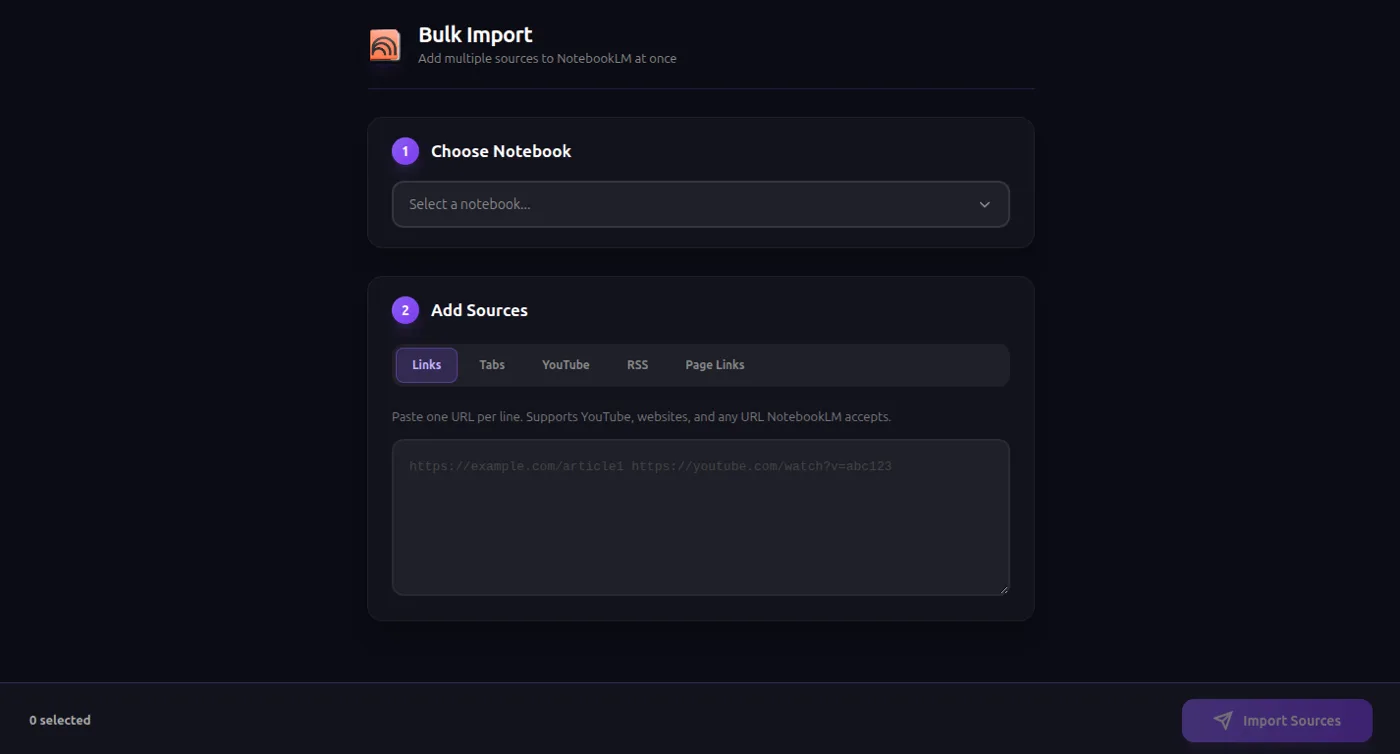
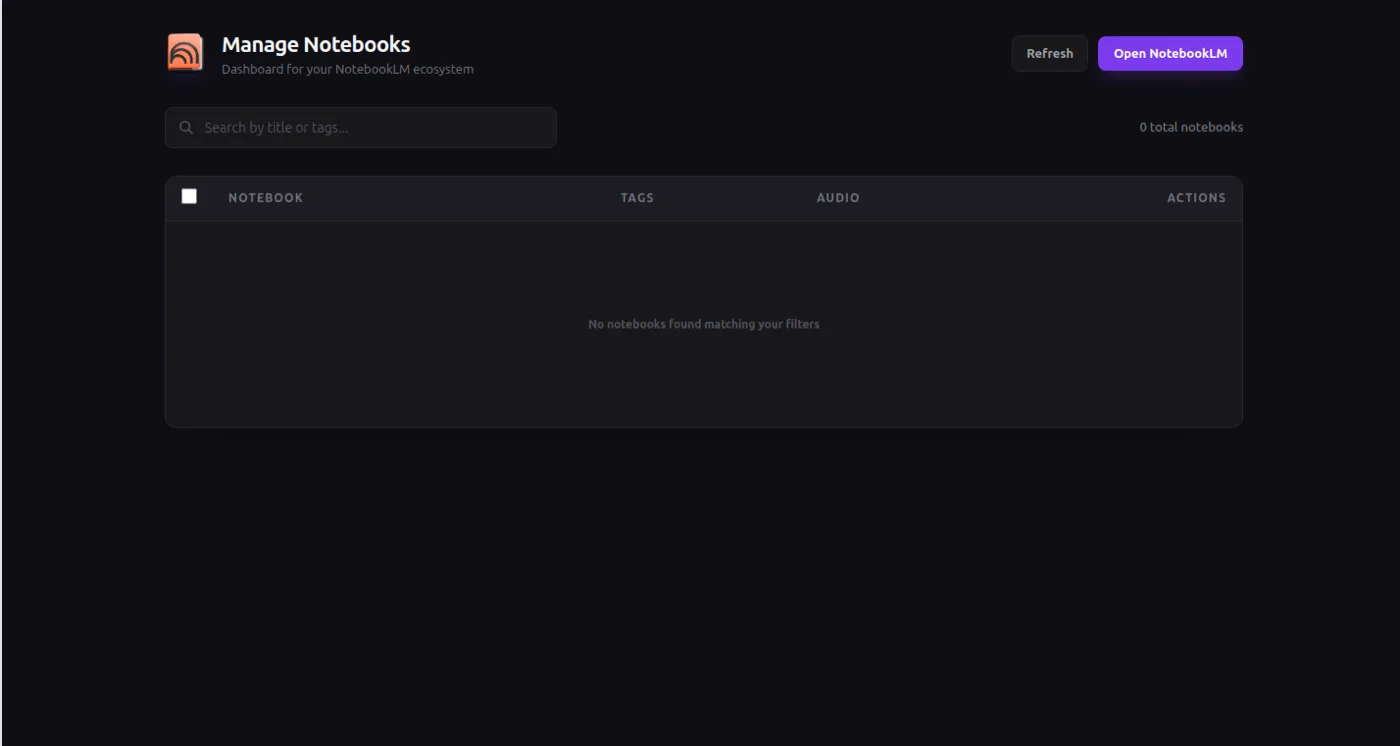
AnyNoteLM is a Chrome extension that imports content into Google NotebookLM in one click, from the seven places people actually read: YouTube, ChatGPT, Claude, Gemini, Grok, DeepSeek and Reddit. A Send to NotebookLM button appears on each supported site; you pick the destination notebook from an inline picker and the content is extracted, formatted and imported without any copying or pasting. It understands each platform's structure, so a ChatGPT or Claude conversation arrives as a clean conversation rather than a scraped page, and a YouTube import carries the transcript and metadata so NotebookLM has the spoken content to reason over. Backlogs import in bulk: whole playlists, pasted URL lists, RSS feeds, and links extracted from any page. It also manages notebooks — browse, search, create, delete, tag and bulk-operate — and can generate, download and unwatermark NotebookLM audio overviews.
AnyNoteLM key facts
- Product type
- Chrome extension
- Price
- Monthly £1.99/month · Yearly £14.99/year · Lifetime £29.99 one-time
- Page last updated
Sound familiar?
You find the answer in a ChatGPT thread, then spend two minutes copying it into NotebookLM with the formatting mangled.
The friction is small enough that you tell yourself you'll add it later — and most of what you find never makes it in at all.
Your best thinking is scattered across four AI tools, a YouTube history and a dozen Reddit tabs.
The problem was never your ideas or your effort. You're doing a machine's job by hand. AnyNoteLM takes that job off your plate.
How is this different from doing it manually?
| The old way | With AnyNoteLM |
|---|---|
| Copy an answer out of a ChatGPT thread and paste it into NotebookLM, formatting mangled in the process | Click Send to NotebookLM from wherever you already are, and the content is extracted and formatted automatically |
| Tell yourself you'll import it later — and most of what you find never makes it in at all | Import a whole backlog in one operation — playlists, URL lists, RSS feeds and links pulled from any page |
| Leave your best thinking scattered across four AI tools, a YouTube history and a dozen Reddit tabs | Keep one searchable knowledge base in NotebookLM instead of scattered tabs and tools |
What do you actually get?
One-click import from 7 platforms
Playlists, URL lists and RSS in bulk
Notebook management with tags
Seven platforms, understood properly
It knows the conversation structure of ChatGPT, Claude, Gemini, Grok and DeepSeek, so what lands in your notebook is a clean conversation — not a mangled page scrape.
Import a backlog in one operation
Whole YouTube playlists, pasted lists of URLs, RSS feeds and links pulled off any page — batched into the notebook you choose.
Notebooks stay usable past twenty
Browse, search, create, delete and tag notebooks from the extension, with bulk operations — no need to open the NotebookLM interface at all.
Built for Researchers, students, consultants and anyone using several AI tools who needs one searchable knowledge base.
Up and running in three steps
Install the extension
Add it to Chrome in one click. No API keys, no code, no separate account.
Upload your prompts
Drop in a CSV with hundreds or thousands of prompts and press start.
Collect organized files
Every result is auto-downloaded into structured folders while the batch runs unattended.
Take a closer look
Which AnyNoteLM plan is right for you?
Monthly
- ✓One-click import from 7 platforms
- ✓Playlists, URL lists and RSS in bulk
- ✓Notebook management with tags
Yearly
- ✓One-click import from 7 platforms
- ✓Playlists, URL lists and RSS in bulk
- ✓Notebook management with tags
- ✓Cheaper than paying monthly
Lifetime
Best value
- ✓One-click import from 7 platforms
- ✓Playlists, URL lists and RSS in bulk
- ✓Notebook management with tags
- ✓All future updates
- ✓No recurring bill
Everything you get today
One-click import from 7 platforms
Playlists, URL lists and RSS in bulk
Notebook management with tags
or £1.99/month
£29.99
one-time · lifetime — or start monthly
Cancel a subscription any time from the extension
Try it before you commit
Install AnyNoteLM, run it against your real workload, and judge it on the output. Cancel a subscription any time from the extension
❌ No forms ❌ No awkward calls
Questions, answered
One quiet click, and the clicking is over.
Get AnyNoteLMCancel a subscription any time from the extensionIn short: AnyNoteLM — £29.99 once. Send YouTube videos, ChatGPT, Claude, Gemini, Grok, DeepSeek and Reddit threads into NotebookLM in one click — no copy-paste. Visit AnyNoteLM.