
Flow Automation
From £2.99

Flow, running while you sleep
Load a batch of prompts or images, press start, and come back to a finished library. Flow Automation drives the interface for you — selecting models, submitting, waiting for renders and downloading every result.
one-time · lifetime — or start monthly
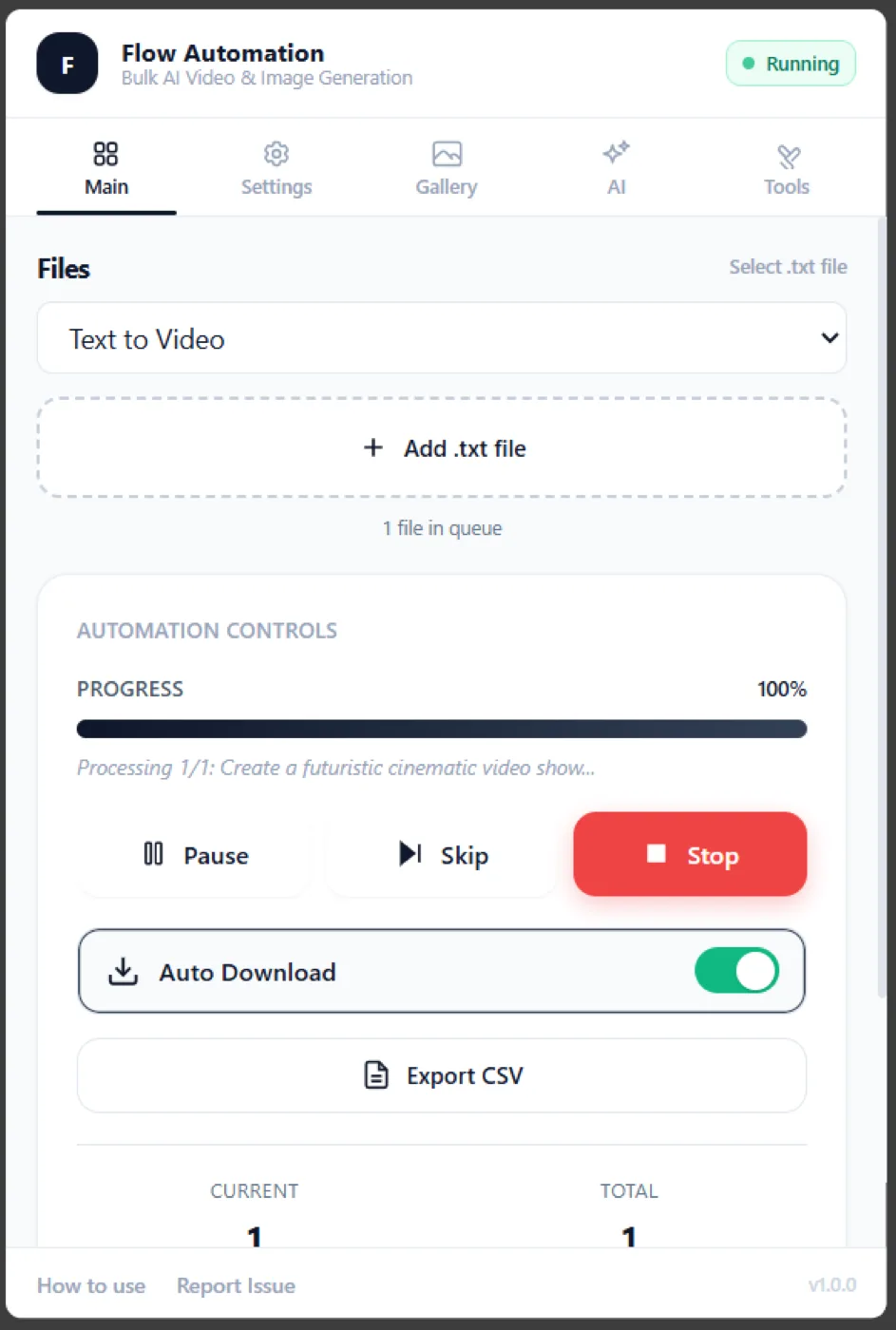
Queue a prompt file, pick a mode, and let it run unattended.
Works with
What is Flow Automation?
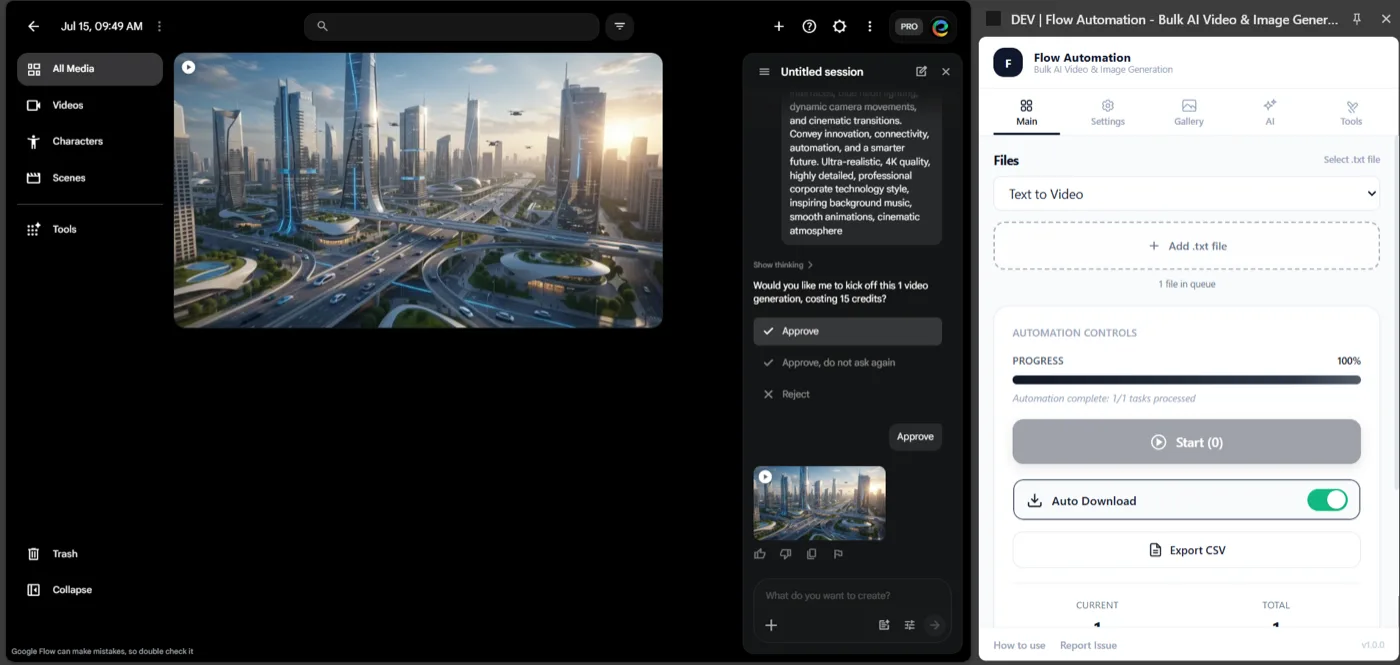
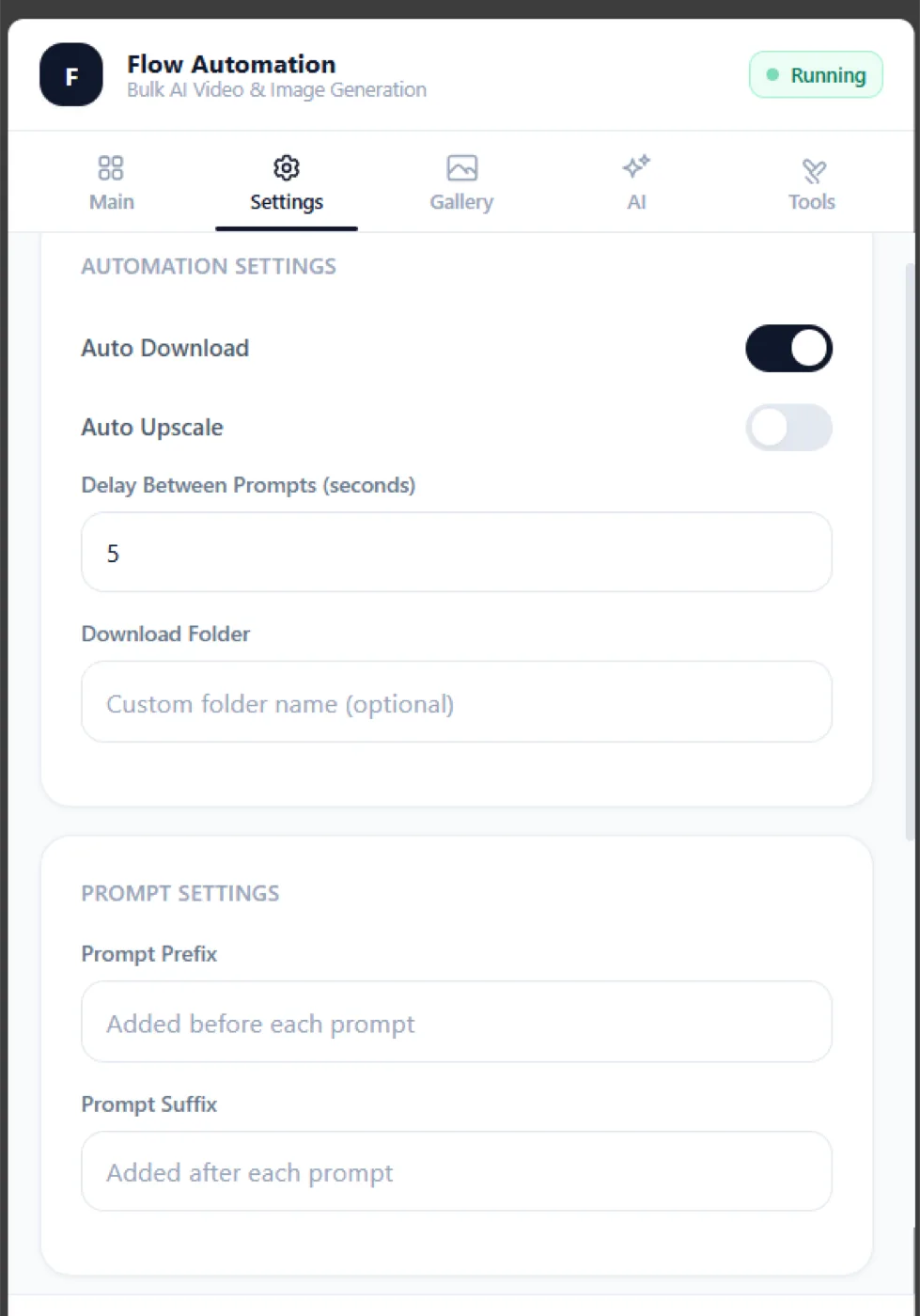
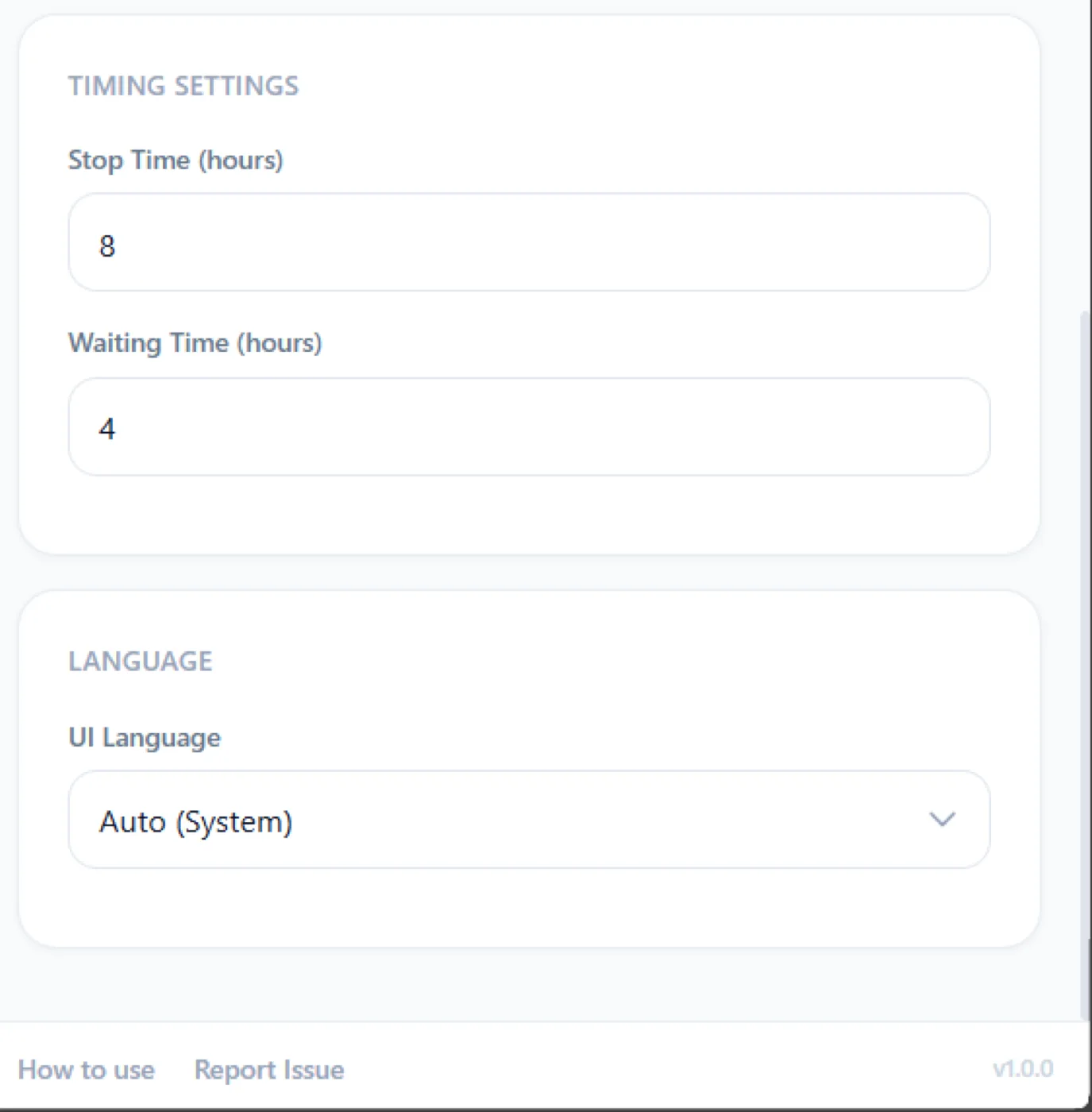
Flow Automation is a Chrome extension that turns Google Labs Flow from a one-prompt-at-a-time creative tool into an unattended production pipeline. It runs in the Chrome side panel alongside Flow, accepts a batch of prompts or images, then drives the Flow interface itself — selecting the model, applying settings, submitting each generation, waiting for the render, and downloading the finished asset. Five generation modes can be mixed in one queue: Text to Video, Create Image, Image to Video, Ingredients to Video with up to three reference images, and Frame to Frame for chained scenes. Every model is selectable per task rather than globally: Veo 2 and Veo 3.1 in Fast or Quality, Imagen 4, Nano Banana and Nano Banana Pro. Tasks run in configurable batches with a cooldown between them, and finished renders land in date-organized folders with templated filenames.
Flow Automation key facts
- Product type
- Chrome extension
- Price
- Monthly £2.99/month · Yearly £29.99/year · Lifetime £49.99 one-time
- Page last updated
Sound familiar?
Flow makes you sit there for the generate-wait-download loop, and each video takes long enough that you drift off to another tab.
A fifty-clip sequence means fifty rounds of the same six clicks — the creative part turns into data entry.
Renders pile up in Downloads with names that tell you nothing about which prompt produced them.
The problem was never your ideas or your effort. You're doing a machine's job by hand. Flow Automation takes that job off your plate.
How is this different from doing it manually?
| The old way | With Flow Automation |
|---|---|
| Sit through the generate-wait-download loop for every single clip, one at a time | Load a batch of prompts across five modes and models, press start, and walk away |
| Repeat the same six clicks for every entry in a fifty-clip sequence | Flow Automation selects the model, submits, waits for each render and downloads automatically |
| Dig through a Downloads folder of renders with names that say nothing about the prompt behind them | Every render lands in date-organized folders with filenames built from the prompt, model and timestamp |
What do you actually get?
5 generation modes, video and image
Veo 2 · Veo 3.1 · Imagen 4 · Nano Banana
Date-organized auto-downloads
Five modes, one queue
Text to Video, Create Image, Image to Video, Ingredients to Video with up to three references, and Frame to Frame for chained scenes — mixed freely in the same batch.
Every model, chosen per task
Veo 2 and Veo 3.1 in Fast or Quality, Imagen 4, Nano Banana and Nano Banana Pro — selected per prompt rather than locked globally for the whole run.
Output that arrives organized
Finished renders download into date-organized folders with filenames built from the prompt, model, index and timestamp, so you can find a clip weeks later.
Built for AI filmmakers, video creators, agencies and designers producing Flow output at volume.
Up and running in three steps
Install the extension
Add it to Chrome in one click. No API keys, no code, no separate account.
Upload your prompts
Drop in a CSV with hundreds or thousands of prompts and press start.
Collect organized files
Every result is auto-downloaded into structured folders while the batch runs unattended.
Take a closer look
Which Flow Automation plan is right for you?
Monthly
- ✓5 generation modes, video and image
- ✓Veo 2 · Veo 3.1 · Imagen 4 · Nano Banana
- ✓Date-organized auto-downloads
Yearly
- ✓5 generation modes, video and image
- ✓Veo 2 · Veo 3.1 · Imagen 4 · Nano Banana
- ✓Date-organized auto-downloads
- ✓Cheaper than paying monthly
Lifetime
Best value
- ✓5 generation modes, video and image
- ✓Veo 2 · Veo 3.1 · Imagen 4 · Nano Banana
- ✓Date-organized auto-downloads
- ✓All future updates
- ✓No recurring bill
Everything you get today
5 generation modes, video and image
Veo 2 · Veo 3.1 · Imagen 4 · Nano Banana
Date-organized auto-downloads
or £2.99/month
£49.99
one-time · lifetime — or start monthly
Cancel a subscription any time from the extension
Try it before you commit
Install Flow Automation, run it against your real workload, and judge it on the output. Cancel a subscription any time from the extension
❌ No forms ❌ No awkward calls
Questions, answered
One quiet click, and the clicking is over.
Get Flow AutomationCancel a subscription any time from the extensionIn short: Flow Automation — £49.99 once. Queue hundreds of prompts into Google Labs Flow. It picks the model, submits, waits for each render and files the download — unattended. Visit Flow Automation.